

How Billing Works
1ClickImpact uses Shopify's built-in usage-based billing system. You're only charged for the impact you actually create, up to your monthly budget cap.
Usage-based billing
When you complete setup, Shopify creates a usage-based subscription for your store. This means:
- You're only charged for actual impact — if no orders come in, you're not charged
- Charges appear on your Shopify invoice — billing is handled entirely through Shopify, not a separate payment system
- Your budget is your cap — you'll never be charged more than your monthly budget in a single billing cycle
How charges are calculated
When impact is triggered (by an order, product sale, or monthly schedule), the cost of each impact category is recorded as a usage charge:





If you have multiple categories enabled, the total cost per trigger is the sum of all active categories.
Billing order: what gets charged first
When impact is triggered, charges are applied in this order:
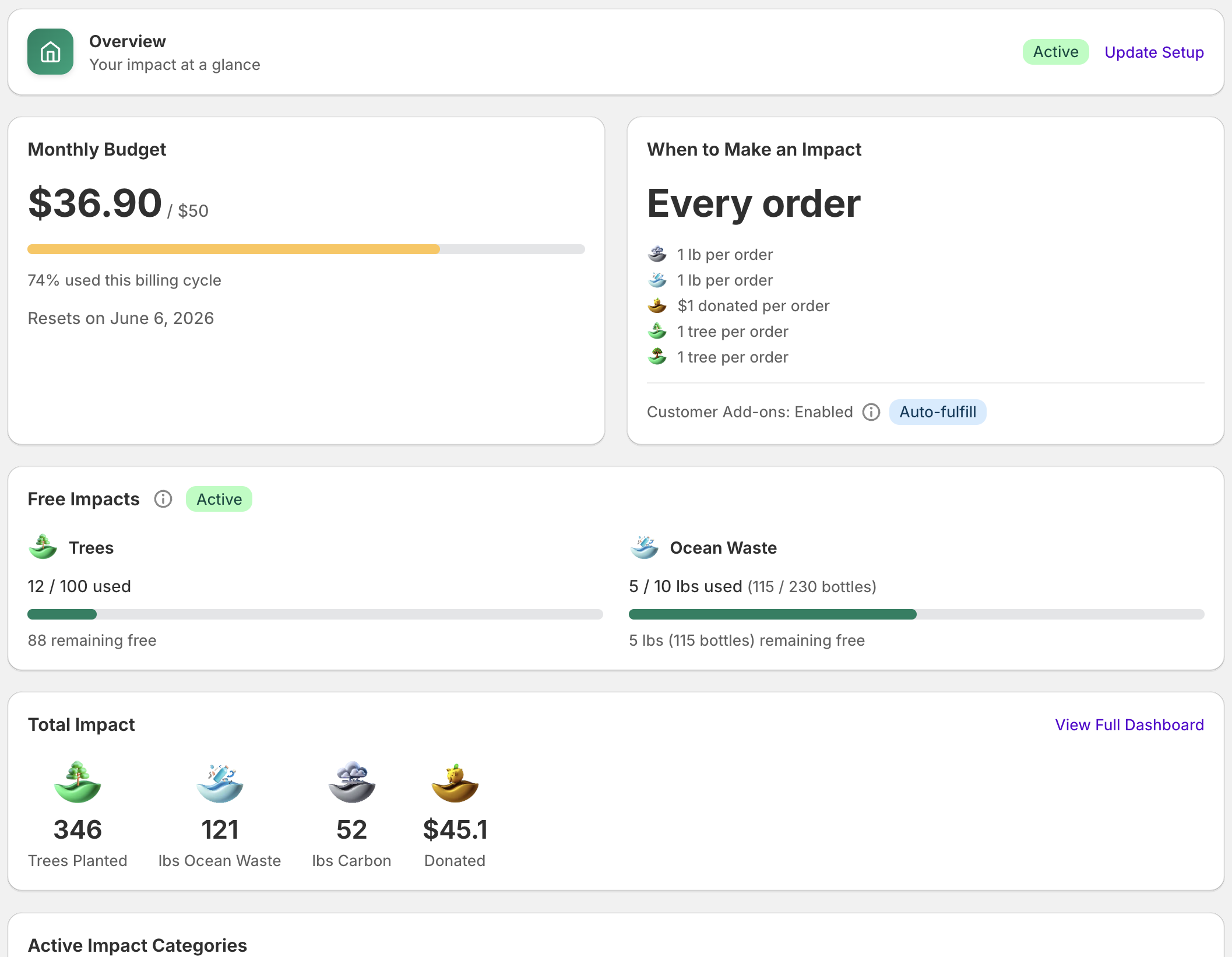
- Free tier — your free impact allocation is used first (100 trees + 10 lbs ocean waste / ~230 bottles)
- Credits — any credits from order cancellations or full refunds are applied next
- Shopify billing — once free tier and credits are exhausted, you only pay per additional impact if any is made
You won't see any Shopify charges until your free tier and any credits are fully used up.
Credits
When an order is cancelled or fully refunded, 1ClickImpact automatically credits the impact cost back to your account. These credits are applied to future impact charges before any Shopify billing occurs.
You can see your current credit balance on the Home page in the Monthly Budget card.
Billing cycle and reset
Your billing cycle follows your Shopify subscription cycle, typically 30 days from when you first approved the subscription. At the start of each new cycle:
- Your usage counter resets to zero
- Your full budget becomes available again
- If your budget was exceeded, impact resumes automatically
Viewing your usage
You can see your current usage and billing details in several places:
- 1ClickImpact Home page — shows your current cycle usage and remaining budget
- Shopify admin — go to Settings then Billing to see all app charges
- Shopify invoice — detailed line items appear on your monthly Shopify invoice
Cancellation
If you uninstall 1ClickImpact, your Shopify subscription is cancelled automatically. You'll be billed for any usage that occurred during the current cycle up to the point of cancellation. No further charges will be made.