

Collaborator Access
When you request support, we may send a collaborator access request to your Shopify store. This page explains what it is, why we need it, and how to approve or remove it.
What is collaborator access?
Collaborator access is Shopify's official system for allowing app developers and partners to access your store's admin. It lets us help you with:
- Widget setup — Installing and configuring impact widgets on your storefront
- Troubleshooting — Diagnosing issues with triggers, billing, or display
- Custom emails — Helping set up branded impact notification emails
- Theme adjustments — Making sure widgets render correctly in your theme
How to approve the request
When we send a collaborator request, you'll receive an email from Shopify. Follow these steps to approve it:
- Go to your Shopify admin
- Navigate to Settings → Users in the left sidebar
- Under Pending, find the request from 1ClickImpact Collaborator
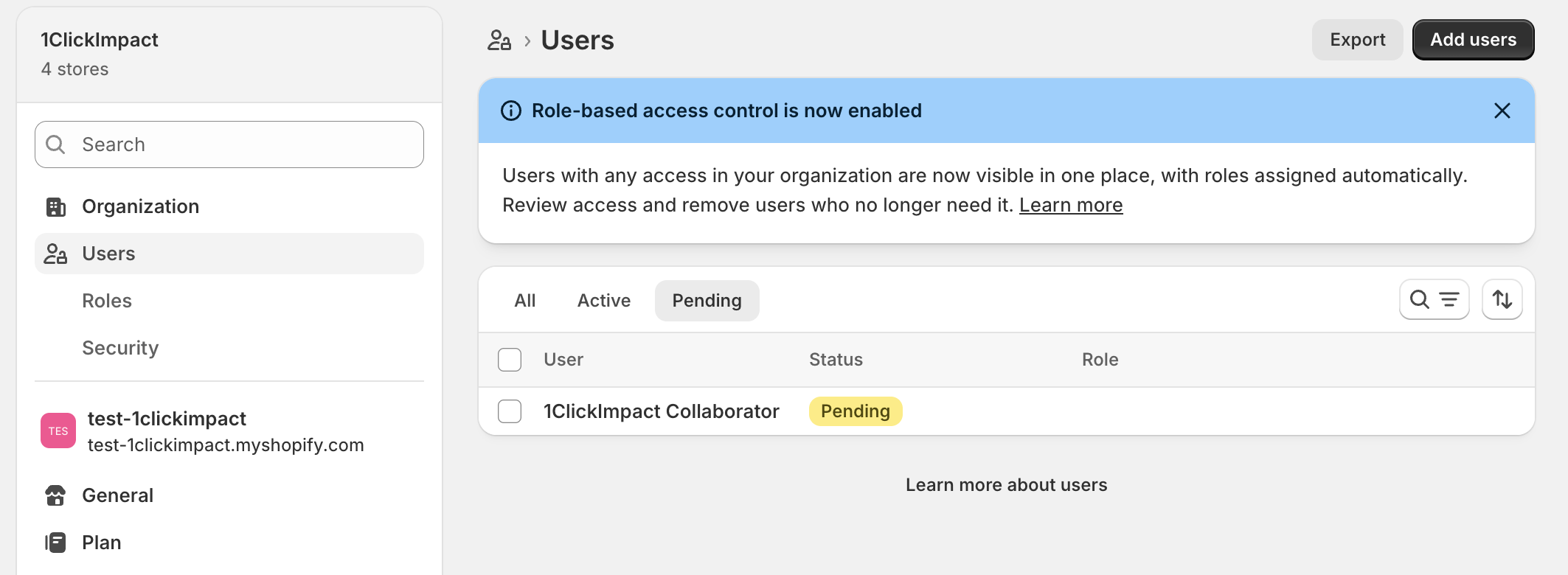
- Click on it to review the permissions being requested
- Click Accept
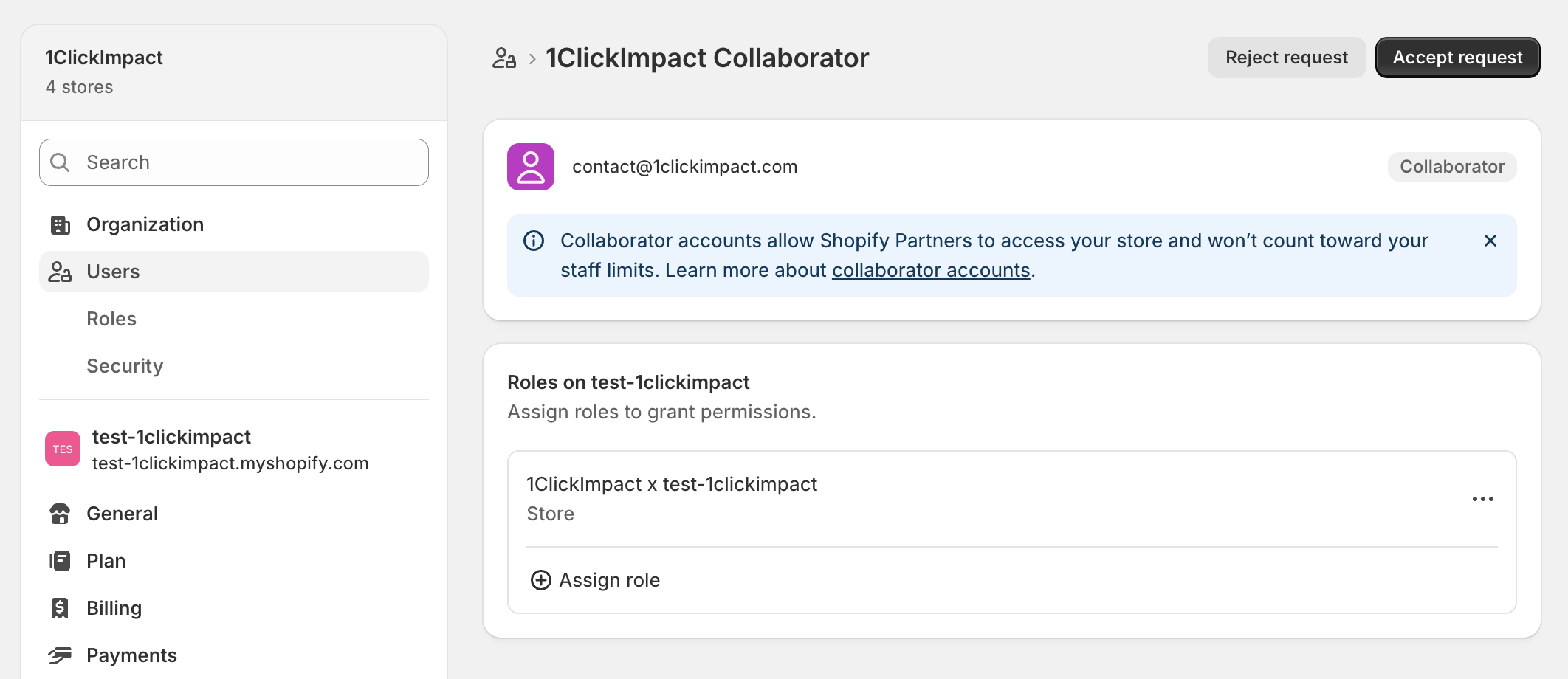
Once accepted, we'll have the access needed to help you.
You'll receive the collaborator request via email from Shopify. If you don't see it, check your spam folder or ask us to resend it.
Security and privacy
Collaborator access is designed with security in mind:
- Shopify's official system — This is built into Shopify, not a third-party workaround
- No password sharing — We never ask for your password or login credentials
- You control access — You can revoke access at any time with one click
- All actions are logged — Shopify records everything done under collaborator access in your store's activity log
- Limited permissions — We only request the permissions needed to help you
How to remove access
If you no longer need our help, you can revoke collaborator access at any time:
- Go to your Shopify admin
- Navigate to Settings → Users
- Find the 1ClickImpact collaborator account
- Click on it and select Remove collaborator
Access is revoked immediately. You can always approve a new request later if you need help again.