

Thank You Page Widget
The Thank You page widget appears after a customer completes their order, confirming the environmental impact their purchase generated.
What it displays
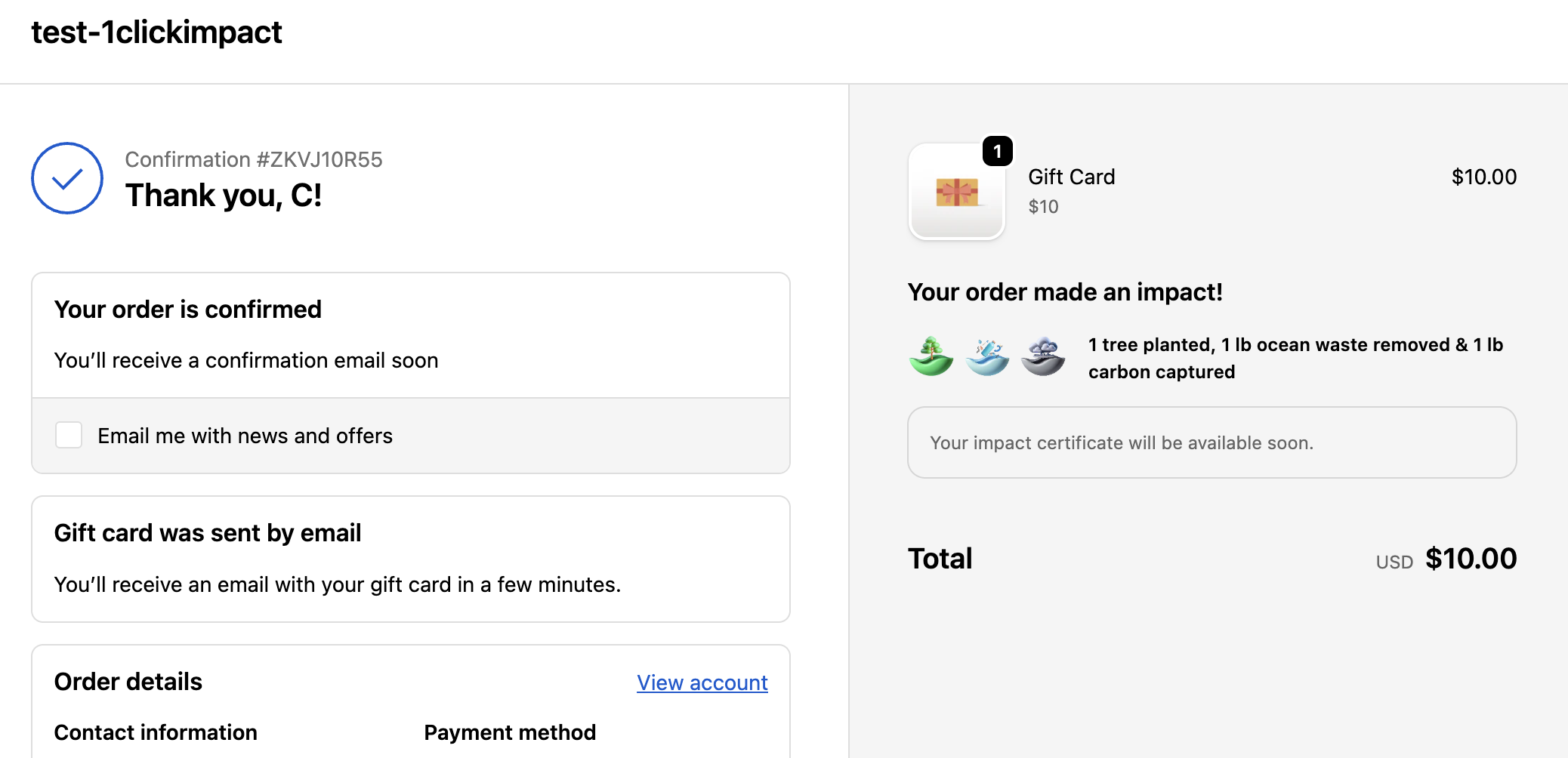
After an order is placed, the Thank You page widget shows:
- Total impact summary — A breakdown of all impact categories triggered by the order, including any add-ons the customer selected
- Impact certificates — Links to certificates for each impact category, which customers can view or share
- Customer selections — In customer choice mode, the widget confirms which categories the customer chose to support
Monthly mode
For stores using the monthly trigger mode, the widget displays a message such as "This store contributes to environmental impact every month" instead of per-order details, since impact is processed on a monthly schedule rather than per order.
How it works
The Thank You page widget is a Shopify checkout UI extension that renders on the order confirmation page. It reads the impact configuration and any customer selections attached to the order to display the correct details.
Installation
The Thank You page widget is part of the same checkout extension as the Checkout Widget. Once the checkout extension is enabled, the Thank You page widget activates automatically.
- Go to your Shopify admin
- Navigate to Settings → Checkout
- Confirm that the 1ClickImpact extension is enabled under the Thank You page section
The Thank You page widget shows the impact that was configured at the time the order was placed. If you change your impact settings after an order, previously placed orders still show their original impact details.
Impact certificates
Each impact category generates a certificate that verifies the contribution. The widget displays certificate links that customers can click to:
- View the certificate in their browser
- Share the certificate on social media
- Download or save a record of their contribution
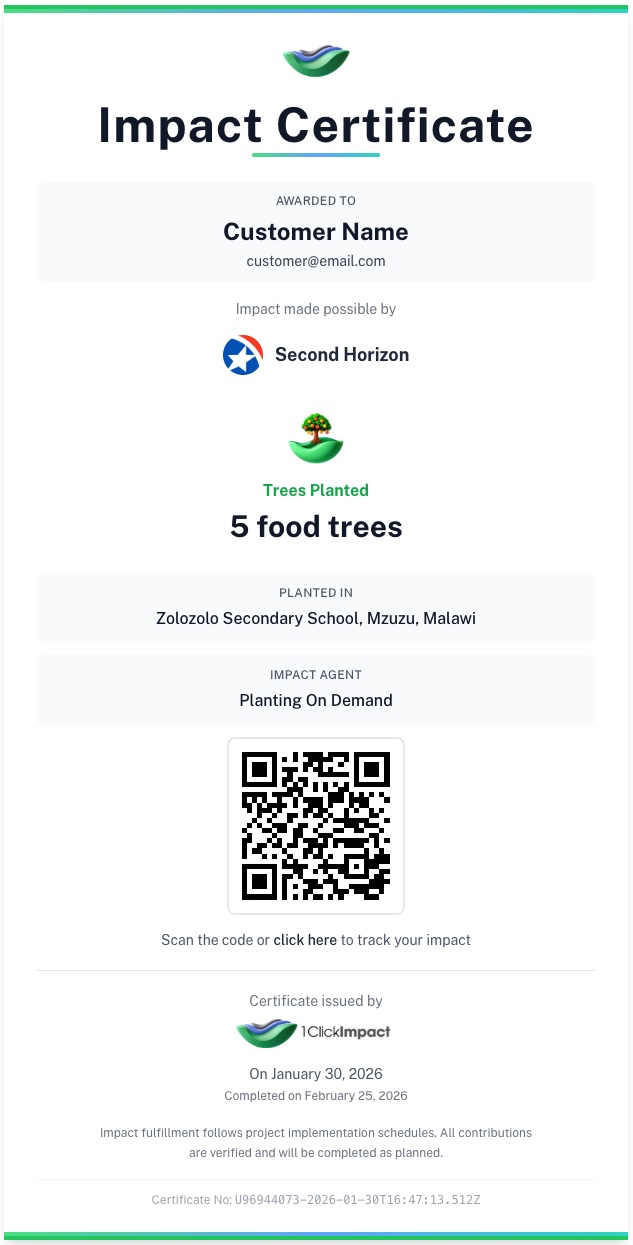
Certificates are generated after the order is placed, which typically takes up to a minute. If the certificates are not ready yet, the widget displays a "Your impact certificate will be available soon" message. Once generated, the certificates appear automatically on the Order Status page when the customer refreshes or revisits the page.
The Thank You page loads immediately after checkout, so certificates may not be ready yet. The Order Status page is the best place for customers to find their certificates and full impact summary, since it always reflects the latest processed data.
Add-on impact
If a customer added extra impact products to their cart (e.g., additional trees or ocean cleanup), those add-ons are included in the total displayed on the Thank You page. The widget combines base order impact and add-on impact into one unified summary.