Order Status Page
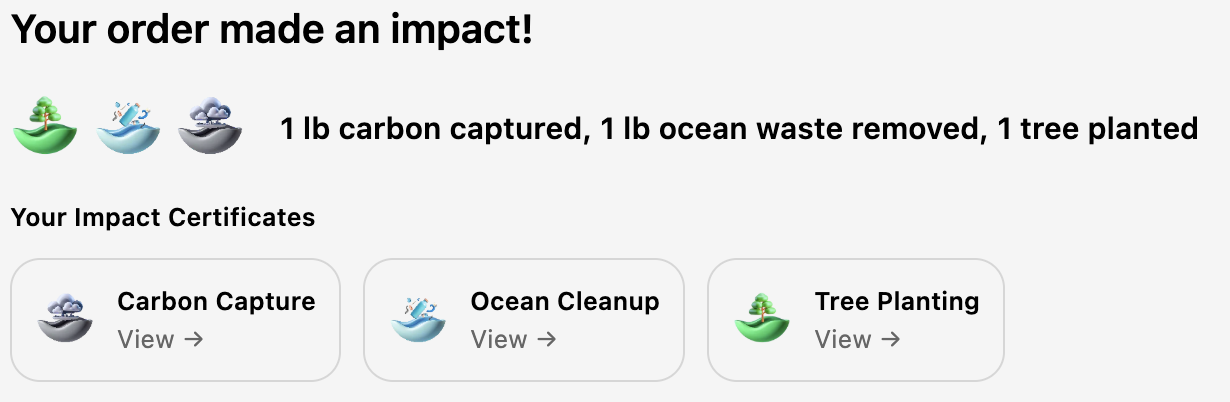
The Order Status page widget shows the actual impact that was processed for an order, along with certificate links for each impact category.
How it differs from the Thank You page
The Thank You page shows impact details immediately after checkout, before everything is fully processed. The Order Status page shows the final, verified results — including accurate totals and certificate links. If a customer revisits their order, this is where they'll see the complete picture.
What it displays
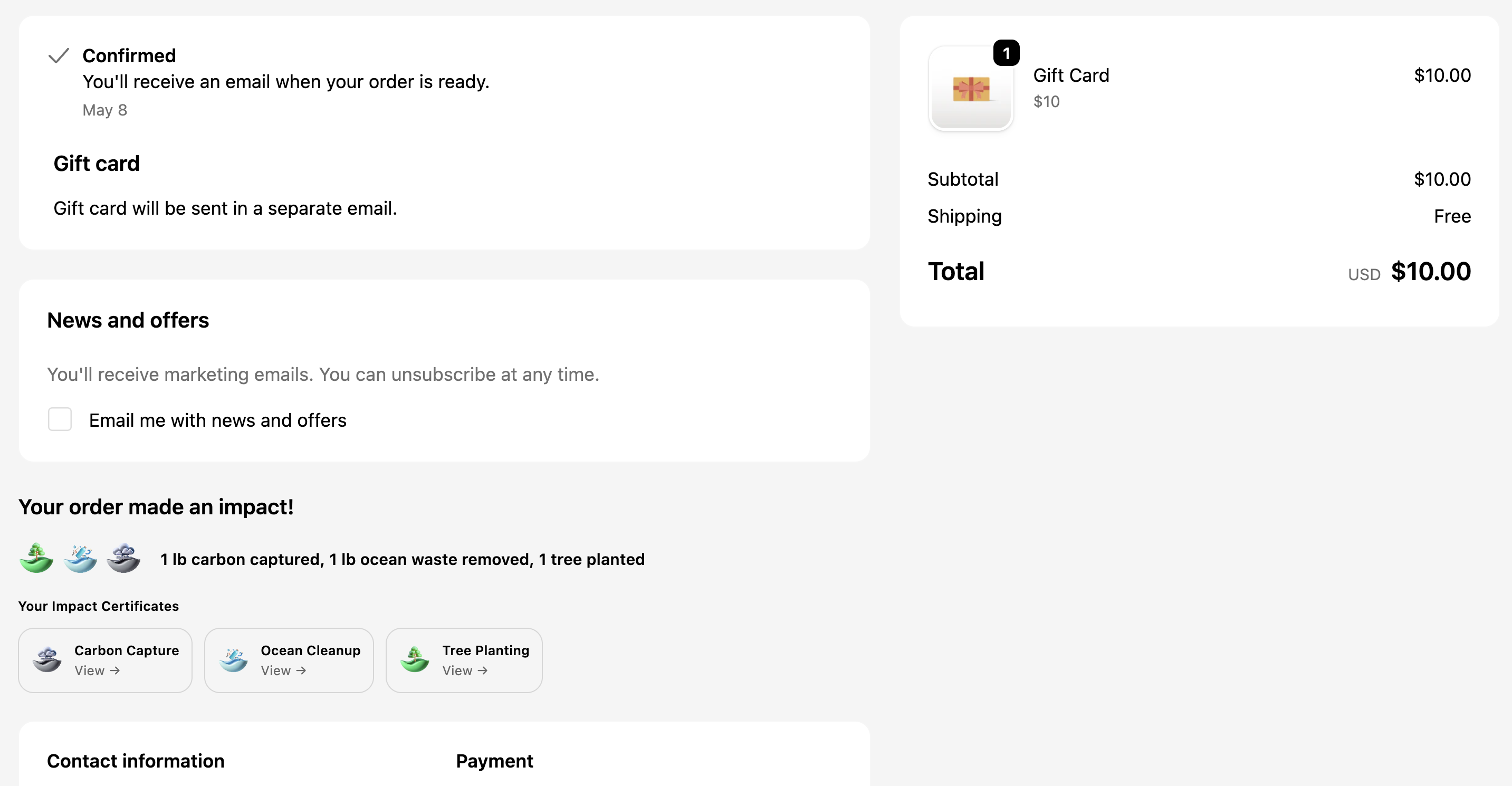
The Order Status page widget shows:
- Impact summary — The processed impact for each category (trees planted, ocean waste removed, carbon captured, money donated)
- Certificate links — A link for each impact type that opens the verified certificate
- Processing status — Confirmation that the impact has been successfully processed
Timing
Impact processing happens automatically after an order is placed. In most cases, results appear within a few seconds. If a customer navigates to the Order Status page immediately after placing their order, there may be a brief delay before the impact details populate.
If the impact details are not showing on the Order Status page, wait a few seconds and refresh. Processing typically completes within 5-10 seconds of the order being placed.
Installation
The Order Status page widget is part of the checkout extension and activates automatically when the 1ClickImpact checkout extension is enabled. No additional setup is required.
- Go to your Shopify admin
- Navigate to Settings → Checkout
- Confirm the 1ClickImpact extension is enabled
Certificate links
Each impact category in the order generates its own certificate. Customers can access these certificates from the Order Status page at any time by returning to their order confirmation link. Certificates include:
- Verification of the impact contribution
- Partner organization details
- Date and quantity of the impact
- A shareable link