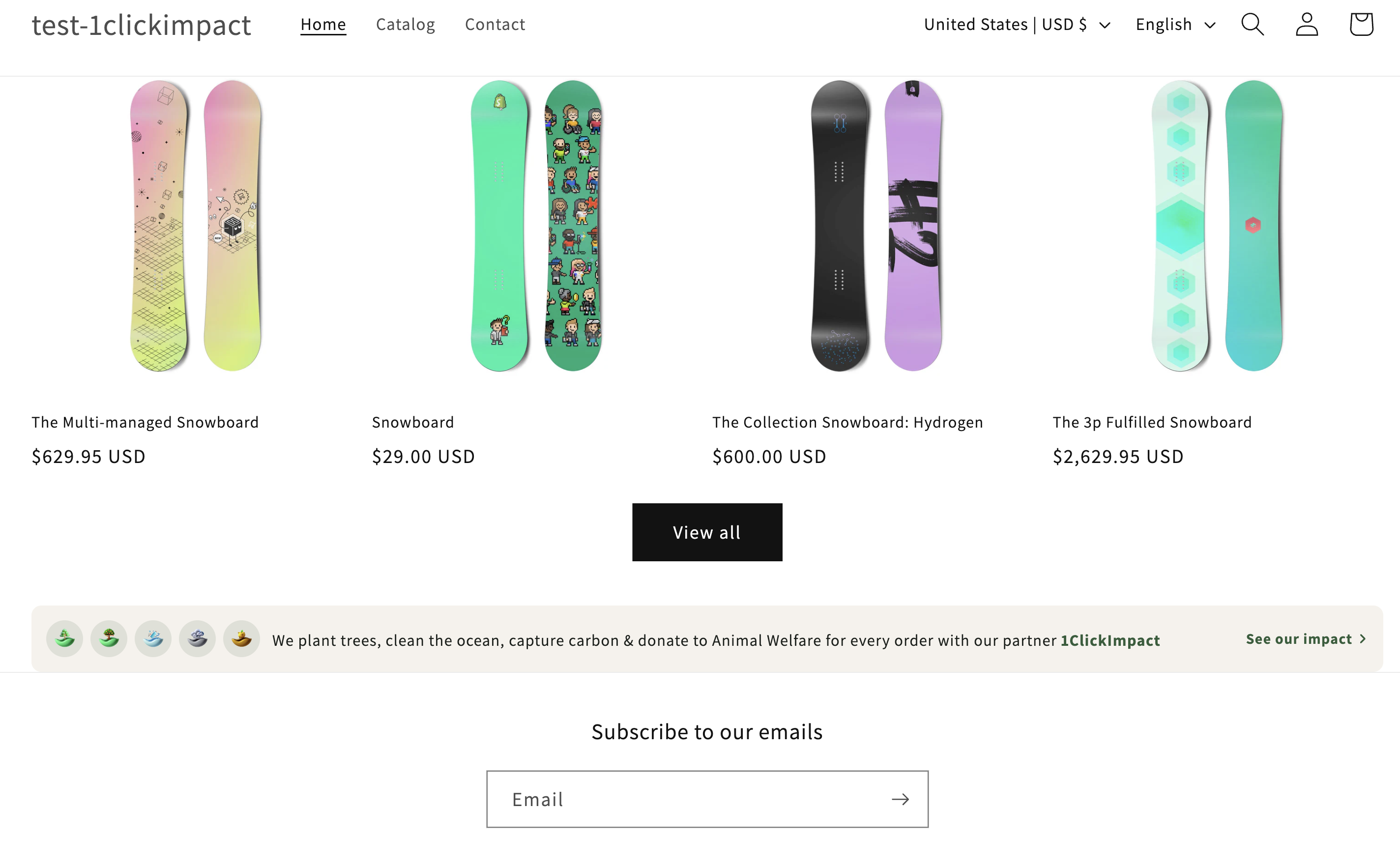
Footer Banner
The Footer Banner, also called the Impact Awareness Widget, displays a visual strip with avatar icons and an auto-generated impact message. It is designed to sit in your store's footer or any other section to communicate your environmental commitment.
What it displays
The Footer Banner includes:
- Avatar icons — Small circular icons representing each active impact category. Hovering over an icon shows a tooltip with the category name.
- Auto-generated text — A message like "We plant trees, clean the ocean & capture carbon for every order" that updates based on your enabled impact categories.
- Link — The banner can link to your projects page or your public impact profile so customers can learn more.
Multiple impacts configured

Single impact configured

Installation
- Go to your Shopify admin
- Navigate to Online Store → Themes → Customize
- Navigate to the Footer section or any section where you want to place it
- Click Add block or Add section and search for 1ClickImpact Footer Banner
- Position the block within the section
- Click Save
The Footer Banner works well in footers, announcement bars, and dedicated sections. Place it wherever you want to reinforce your store's impact commitment.
Customization options
The following settings are available in the theme editor:
- Text size — Adjust the font size of the impact message
- Font weight — Set the text to normal or bold
- Text color — Change the message text color
- Background color — Set the banner background
- Border — Add or remove a border around the banner
- Border color — Change the border color when enabled
- Link URL — Set the destination when customers click the banner (e.g., your impact profile page or
/pages/our-impact) - Show branding — Toggle the 1ClickImpact branding on or off
The banner text automatically regenerates when you enable or disable impact categories in the app. No manual text editing is needed.